
What is the Atmosphere Business Manager app?
Atmosphere Business Manager is our app for iPhone and Android. Change channels, upload digital signage and check on your devices from your phone, with the same login as the Atmosphere Dashboard.
Atmosphere Business Manager lets you run Atmosphere TV at your location from your phone. It comes with every Atmosphere TV account and uses the same email and password as the Atmosphere Dashboard.
Get the app
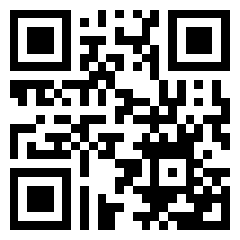
Scan this QR code with your phone's camera, or go to atms.tv/app on your phone.
You can also find it in the stores:
- iPhone and iPad: Atmosphere Business Manager on the App Store
- Android: Atmosphere Business Manager on Google Play
Sign in
Open Atmosphere Business Manager and tap Sign in.
Enter the email address and password you use for the Atmosphere Dashboard, then tap Sign in.
What you can do in the app
See your devices
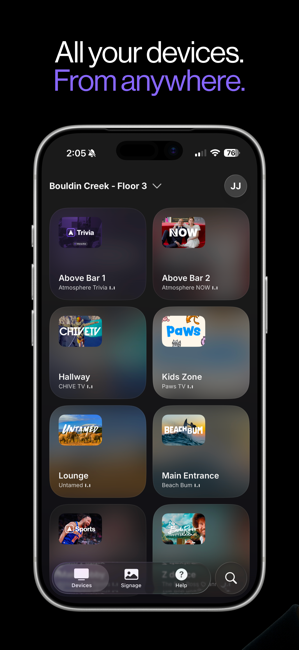
The Devices tab shows every TV at your location and what each one is playing. If you manage more than one location, switch between them from the location name at the top.
Change the channel
Browse the Atmosphere TV channel lineup and pick what plays on each TV.
Run digital signage
Upload photos and videos from your phone, or take a photo on the spot, to show between Atmosphere TV content. Schedule when each campaign runs and choose which locations show it. The app crops images to fit your TV and trims videos to 30 seconds.
Get help
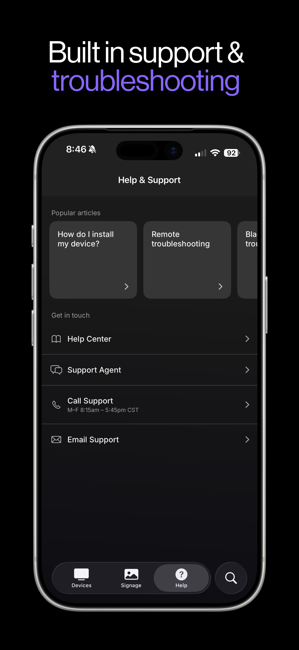
Run troubleshooting tools on a device right from the app. The Help tab also has popular help articles and lets you chat with our support agent, call or email us.
The app or the Atmosphere Dashboard?
They share one login and one account, so use whichever is handier. For bigger account tasks, like adding users, updating your business information and billing, use the Atmosphere Dashboard on a computer at admin.atmosphere.tv.
mobile app, phone app, iphone app, android app, ios, app store, google play, download app, get the app, atmosphere app, manager app, business app, control tv from phone, change channel from phone, remote app, upload signage from phone, buisness manager, bussiness manager, busness manager, managr, how do I download the app, is there an app, atms.tv/app
Related articles
Still need help?
Get an answer from our agent